Licences authentiques · Remboursement UE sous 14 jours · Livraison en ø 43 sLivraison dans les 27 États de l’UE
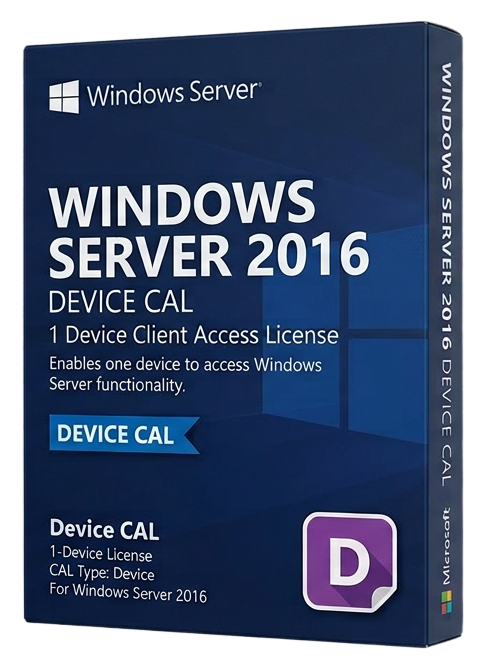
License 50 devices to access Windows Server 2016 — ideal for shared workstations, kiosks, and shift-based environments where multiple users share the same hardware.
Windows Server 2016 - 50 Device CAL est entre deux lots. Parcourez d’autres licences authentiques dans la même catégorie — elles s’activent de la même façon et sont expédiées en quelques secondes.
Parcourir les alternatives microsoftPas de marketing — uniquement l’alerte de réassort. Désinscription en un clic.
Clé de licence + guide d’activation dans la langue de votre OS. Facture TVA en PDF jointe.
Chaque clé est vérifiée sur les serveurs d’activation de l’éditeur avant l’envoi.
Les clés non utilisées peuvent être retournées sous 14 jours en vertu du droit européen de la consommation (Directive 2011/83/UE).
The Windows Server 2016 50 Device CAL pack provides Client Access Licenses for 50 specific devices to access Windows Server 2016 services. A Device CAL is assigned to a physical device (workstation, terminal, kiosk) and allows any number of users to access Windows Server from that device — making it the optimal choice for shared computing environments.
Device CALs excel in scenarios where multiple users share the same hardware: factory floor workstations used across three shifts, hospital nursing stations accessed by rotating staff, retail point-of-sale terminals, classroom computers in educational institutions, and call center desks with hot-desking arrangements. In these environments, licensing the device rather than individual users is significantly more cost-effective.
This 50-pack provides the same server access rights as User CALs — authentication against Active Directory, access to shared folders and printers, DNS and DHCP services, IIS web applications, and all other Windows Server roles and features. The only difference is the licensing model: tied to the device rather than the user.
Device CALs are perpetual and provide downward compatibility with older Windows Server versions (2012 R2, 2012, 2008 R2). They do not grant access to newer server versions. Remote Desktop Services require separate RDS CALs regardless of whether you hold User or Device CALs.
For organizations with a mix of dedicated and shared devices, combining User CALs and Device CALs in the same environment is permitted and often provides the most cost-effective licensing solution. Assign User CALs to employees with personal devices and Device CALs to shared workstations.
Stripe / SEPA / iDEAL / Bancontact — tous les principaux moyens de paiement UE sont acceptés.
Nous vérifions votre licence auprès des serveurs d’activation de l’éditeur en temps réel.
La licence et le guide d’activation arrivent en moins de 60 secondes. Moyenne de 43 secondes.
Suivez le guide dans votre langue. Terminé en moins de 2 minutes.
