W
Microsoft
Windows Server 2022 Device CAL
21,90 €24,90 €
−12%Loading product
Microsoft
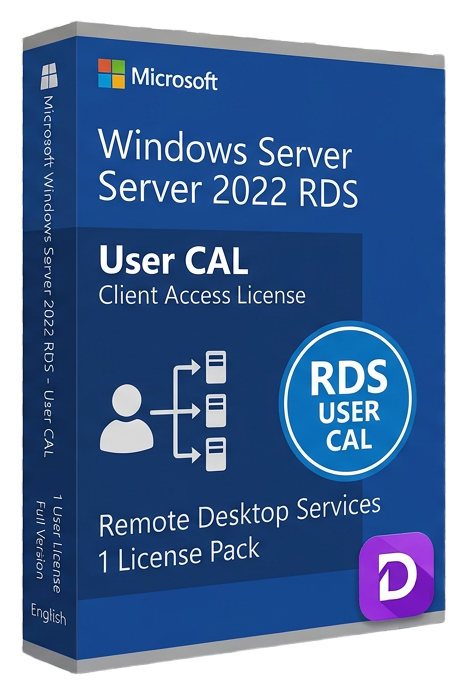
Perpetual RDS User CAL 10-pack: licence 10 named users for Remote Desktop access from any device on Windows Server 2022.
Share how compatibility, activation and digital delivery worked for you. Reviews from verified buyers help other customers choose with confidence.
Our support team is here for you.

Loyalty points are added to your account and can be redeemed for discounts.
Earn 12% commission on every referral. Join our partner program.
Join nowRemote work isn't a perk anymore — it's the backbone of modern business. But giving your team access to line-of-business applications from home offices, branch locations, or personal devices creates a tangle of security risks, compliance headaches, and IT management overhead. The Windows Server 2022 RDS User CAL 10-pack solves this elegantly. It's a perpetual licence pack that grants ten named users the legal right to connect to a Windows Server 2022 terminal server from absolutely any device they own — a company laptop, a home desktop, a tablet, even a thin client on a factory floor. Each user gets a full Windows desktop, a single published application via RemoteApp, or a personal virtual desktop, while all data and processing remain locked safely inside your server infrastructure. For IT managers rolling out secure remote access, deploying a new line-of-business app to a distributed workforce, or building a cost-effective VDI pilot, this 10-pack of RDS User CALs is the foundation you need. It's a one-time purchase with no expiry date, meaning your licensing costs are predictable and your deployment is permanent. Just remember: these are additive licences. Every user connecting via Remote Desktop Services needs both a standard Windows Server CAL and one of these RDS CALs to be fully compliant.
When you complete your order at Lizensa, you receive everything needed to bring your ten users into licensing compliance quickly. Your purchase includes a genuine Microsoft Windows Server 2022 RDS User CAL licence key delivered digitally. This is a volume-licence-style activation key, not a retail box. You'll also receive a downloadable VAT invoice that serves as your proof of licence ownership for Microsoft audit purposes — keep this document safe. We provide a straightforward activation guide that walks you through installing the RDS role on Windows Server 2022, installing the RDS licensing role, and activating your new User CALs against the Microsoft Clearinghouse. The licence itself is perpetual: it does not expire, does not require renewal, and remains valid for the life of your Windows Server 2022 deployment. Activation typically completes online in seconds, though telephone activation is available if your server lacks internet access. These are User CALs, meaning you assign each of the ten licences to a specific named user in your organisation. That user can then access RDS from any number of personal or company-owned devices. Compatibility note: these RDS CALs are additive. You must already have standard Windows Server CALs (either User or Device) for every user or device accessing the server, plus the RDS CALs for those using Remote Desktop Services. Both licence types are mandatory for compliance.
Choosing between RDS User CALs and RDS Device CALs is one of the most consequential licensing decisions you'll make for your remote desktop infrastructure. The wrong choice can mean overspending on unused licences or, worse, being under-licensed during an audit. Here's how to think about it:
RDS User CALs (this product) are assigned to named individuals. If your organisation has employees who access the terminal server from multiple devices — a desktop at the office, a laptop at home, a tablet while travelling — a single User CAL covers all those access points. This model shines in environments with mobile workers, shift-based staffing (where different people share the same physical endpoint), and BYOD policies. You buy one CAL per unique user, regardless of how many devices they use. The trade-off: if you have high user turnover or many occasional users, you may be buying CALs for people who rarely connect.
RDS Device CALs are assigned to specific devices. If you run a call centre, a warehouse floor, a hospital nursing station, or a university computer lab — places where multiple employees share the same computers in shifts — Device CALs are often more economical. You buy one CAL per device, and any number of users can connect from that device. The limitation: a user with a Device CAL-assigned workstation cannot also connect from their personal laptop unless that laptop also has a Device CAL.
Standard Windows Server CALs vs. RDS CALs — This is the most common point of confusion. Every user or device accessing a Windows Server requires a standard Windows Server CAL. That's the baseline. If that same user or device connects via Remote Desktop Services (full desktop, RemoteApp, or VDI), they additionally require an RDS CAL. Think of the standard CAL as the entry ticket to the server and the RDS CAL as the upgrade that permits graphical remote interaction. You need both. Always.
Perpetual vs. subscription licensing — The RDS User CALs sold here are perpetual licences. You buy them once and own the right to use them indefinitely with Windows Server 2022 (and downward-compatible versions). Microsoft also offers RDS through subscription models like Azure Virtual Desktop, which bills monthly per user. Perpetual CALs make financial sense for stable, long-term deployments where you can predict your user count. Subscriptions can be better for highly seasonal workforces or short-term projects. For most on-premises or dedicated-hosted terminal server deployments, perpetual CALs deliver lower total cost of ownership over a 3-5 year horizon.
Because this is a Client Access Licence pack and not software, the system requirements are straightforward but critical to understand. The RDS User CAL itself has no processor, RAM, or storage requirements — it's a legal permission, not an installable application. However, your target environment must meet these conditions:
For precise hardware sizing of your RDS host server, consult Microsoft's official Remote Desktop Services capacity planning guidance. The number of concurrent users, the applications you're hosting, and the user workload profile all dramatically affect the CPU, RAM, and storage IOPS you'll need.
Your Lizensa order confirmation email arrives within seconds of completing payment. Inside, you'll find your unique Windows Server 2022 RDS User CAL licence key, a link to download the official Microsoft installation media if you haven't already prepared your server, and a step-by-step activation guide. Here's the high-level process:
First, ensure Windows Server 2022 is installed and the Remote Desktop Services role is deployed. You'll need the RD Session Host role service for session-based desktops or RemoteApp, plus the RD Licensing role service — these can run on the same server or on separate servers depending on your architecture. Open the RD Licensing Manager console, right-click your server, and select "Activate Server." The activation wizard connects to Microsoft over the internet and registers your licensing server. Once the server is activated, right-click it again and choose "Install Licences." Select the licence programme (typically "Enterprise Agreement" or "Open Licence" depending on how Lizensa sources the key — the activation guide will specify), and enter your new licence key. The Microsoft Clearinghouse validates the key and installs the ten RDS User CALs onto your licensing server.
From that point, when a named user connects to an RDS session, the RD Session Host queries the licensing server, finds an available User CAL, and assigns it. The assignment is permanent by default, though you can revoke and reassign CALs if an employee leaves and is replaced. Your ten CALs can be reinstalled or moved to a new licensing server if you rebuild your infrastructure — the Microsoft activation system allows reactivation in cases of hardware failure or planned migration. If activation fails, Lizensa's multilingual support team is available free of charge to troubleshoot. Common issues include firewall blocks to Microsoft's activation servers, using the wrong licence programme in the wizard, or attempting to install the CALs before activating the licensing server itself. Our support engineers can walk you through resolution or, if necessary, assist with telephone activation.
When you're buying Client Access Licences, you're not just buying a product key — you're buying the legal right to use Microsoft's software and the peace of mind that your business won't face an audit failure. Lizensa has built its reputation across the European Union by delivering exactly that assurance. Every licence we sell, including this Windows Server 2022 RDS User CAL 10-pack, is sourced through authorised European distribution channels and verified genuine before it reaches your inbox. That means your activation will succeed, your licence will be recognised by Microsoft's audit tools, and you'll have a proper VAT invoice to document your compliance.
We understand that software licensing is complex and that time is money when you're deploying infrastructure. That's why our digital delivery system sends your licence key to your email in under a minute on average. There's no waiting for a physical package, no shipping fees, and no risk of a lost envelope. You can start your RDS deployment the moment you complete checkout. Our checkout itself is secured by Stripe, supporting SEPA bank transfers, iDEAL, BLIK, Google Pay, and all major credit and debit cards. Your payment data never touches our servers.
As an EU-based company, we operate under European consumer protection law. That gives you a 14-day right of withdrawal — if your plans change or you ordered the wrong licence type, you're covered. For B2B customers, our VAT invoices support reverse-charge mechanisms, simplifying your accounting across borders. And because we serve customers in all 27 EU member states, our activation support team works in multiple languages and understands the nuances of Microsoft licensing in different European markets. Whether you're a small business deploying your first terminal server or an enterprise rolling out a new VDI farm, you'll get the same genuine licence, the same fast delivery, and the same commitment to getting you activated successfully.
This is a perpetual licence — a one-time purchase with no recurring fees and no expiry date. Once you buy the ten RDS User CALs, they are yours to use with Windows Server 2022 (and downward-compatible versions) permanently. Microsoft does not require renewal, and the CALs do not stop working after a set period.
An RDS User CAL is assigned to a named person and allows that person to connect via Remote Desktop from any number of devices (work PC, home laptop, tablet, etc.). An RDS Device CAL is assigned to a specific device and allows any number of users to connect from that single device. User CALs suit mobile workers and BYOD environments; Device CALs suit shift-work environments where multiple employees share the same terminals.
Yes. RDS CALs are additional to — not a replacement for — standard Windows Server CALs. Every user or device accessing a Windows Server must be covered by a standard CAL. If that access happens via Remote Desktop Services, an RDS CAL is also required. Both licences are mandatory for compliance.
Our digital delivery system sends your licence key and invoice to your registered email address automatically. Most customers receive their key within 60 seconds of completing payment. In rare cases of manual fraud review, delivery may take up to 30 minutes during business hours.
Absolutely. Every licence Lizensa sells is sourced from authorised European distributors and is genuine Microsoft intellectual property. You receive a valid activation key, a proper VAT invoice that serves as proof of licence ownership, and the legal right to use the software in compliance with Microsoft's licensing terms across all EU member states.
Our multilingual technical support team is available free of charge to help you troubleshoot activation issues. Common problems include firewall blocks to Microsoft's activation servers, selecting the incorrect licence programme in the RD Licensing Manager wizard, or attempting to install CALs before activating the licensing server itself. Contact our support team, and we'll walk you through resolution or assist with telephone activation if your server lacks internet access.
Yes. Microsoft's licensing terms permit you to permanently reassign a User CAL from one user to another in the event of the original user's departure or a change in job role. The reassignment must be permanent — you cannot temporarily transfer a CAL between users. The RD Licensing Manager console allows you to revoke a CAL from one user and issue it to another.
Yes. Lizensa serves customers across all 27 European Union member states, and these RDS User CALs are valid for activation and use throughout the EU. The licence is not region-locked. Your VAT invoice will reflect your local VAT rate where applicable, and reverse-charge mechanisms are supported for B2B cross-border transactions.
Our Stripe-secured checkout supports SEPA bank transfers, iDEAL (Netherlands), BLIK (Poland), Google Pay, and all major credit and debit cards including Visa, Mastercard, and American Express. Your payment details are processed entirely by Stripe and never stored on our servers.
Yes. Every purchase includes a downloadable VAT invoice suitable for accounting and tax purposes. For B2B customers with a valid EU VAT ID, the invoice supports reverse-charge VAT treatment, meaning VAT is not charged at the point of sale and is instead accounted for by the buyer in their own VAT return.
Under EU consumer protection law, you have a 14-day right of withdrawal from the date of purchase. If you have not activated or used the licence key, we will issue a full refund. Because software licences are digital goods, refunds after activation are handled on a case-by-case basis. Contact our support team, and we'll work with you to find a fair resolution.
Yes. RDS User CALs for Windows Server 2022 include downward compatibility rights. You can use them to licence users connecting to RDS deployments running Windows Server 2019 or Windows Server 2016. This is particularly useful during phased migration projects where you are running a mix of server versions.