W
Microsoft
Windows Server 2022 Device CAL
21,90 €24,90 €
−12%Loading product
Microsoft
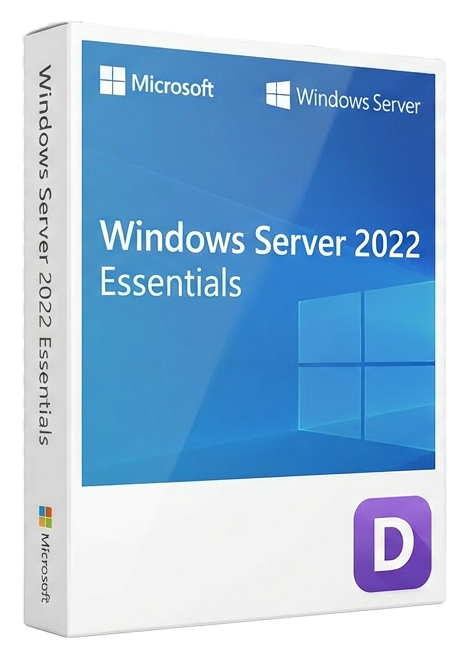
Genuine Microsoft Windows Server 2022 Essentials Retail licence — perpetual, no CALs, for up to 25 users. Instant digital delivery.
Share how compatibility, activation and digital delivery worked for you. Reviews from verified buyers help other customers choose with confidence.
Our support team is here for you.

Loyalty points are added to your account and can be redeemed for discounts.
Earn 12% commission on every referral. Join our partner program.
Join nowWindows Server 2022 Essentials is Microsoft’s purpose-built server operating system for small organisations that refuse to compromise on security. Designed for environments with up to 25 users and 50 devices, this edition delivers the same hardened, Secured-core platform found in the Datacentre edition, but packaged for straightforward deployment and day-to-day management. If you run a small professional practice, a boutique consultancy, or a growing retail operation, this is the server that protects your data with bank-grade encryption, enables seamless remote file access without a VPN, and connects you to the Microsoft Azure cloud when you are ready — all without requiring a single Client Access Licence (CAL).
This is a genuine, perpetual Retail licence from Microsoft, delivered digitally by Lizensa. You pay once, you own it forever. There are no recurring subscription fees, no hidden monthly costs, and no forced end-of-life after a year. The licence covers every user and device that connects to the server, making it one of the most cost-effective ways to run a fully compliant, professionally secured network. Whether you are migrating from an ageing Windows Server 2012 R2 Essentials box or building your first on-premises infrastructure, Server 2022 Essentials gives you the tools to work confidently in an era of sophisticated cyber threats.
When you order Windows Server 2022 Essentials from Lizensa, you receive everything needed to get a fully licensed server running within minutes. Your purchase includes a genuine Microsoft Retail licence key, an official ISO download link sourced directly from Microsoft’s content delivery network, a step-by-step activation guide written in clear English, and a VAT invoice issued to your business or personal name.
This is a Retail (ESD) licence, which means it is a permanent, non-subscription product. The licence does not expire, and Microsoft will continue to provide security updates through the mainstream and extended support lifecycle. Retail licensing also gives you flexibility: if you decommission the original hardware, you may transfer the licence to a new server, unlike OEM licences that are locked to the first machine they are activated on.
Activation is straightforward. You download the ISO, create a bootable USB drive, install the operating system, and enter the product key when prompted. The server will activate online automatically. If you are building a virtualised environment, the Retail licence permits installation as a virtual machine on a properly licensed hypervisor — one instance per licence.
Compatibility is broad: the server runs on any standard x64 hardware that meets the system requirements below. It supports the same language packs as all Windows Server 2022 editions, including English, German, French, Spanish, Italian, Dutch, Polish, Portuguese, and Japanese, so you can deploy in the language your team is most comfortable with.
Choosing the correct server edition prevents overpaying for features you will never use — or worse, discovering a limitation after deployment. Here is how Windows Server 2022 Essentials compares to the other editions in the family.
Windows Server 2022 Essentials vs. Standard
Essentials is limited to 25 users and 50 devices, with no CALs required. Standard supports unlimited users but requires a CAL for each user or device that accesses the server. Both editions share the same security foundation — Secured-core, TLS 1.3, SMB over QUIC — and both can run the Essentials Experience role for simplified management. If you are certain you will stay under 25 users, Essentials saves significant licensing cost. If growth is imminent, Standard is the safer long-term choice, though you can start with Essentials and upgrade in place later.
Windows Server 2022 Essentials vs. Datacentre
Datacentre is built for highly virtualised and software-defined data centre environments. It includes unlimited Windows Server container support, Storage Spaces Direct, Shielded Virtual Machines, and the Azure Stack HCI integration. For a small business running one or two physical servers, Datacentre is overkill — both in cost and complexity. Essentials provides the same core operating system and security stack without the enterprise feature set you will not touch.
Windows Server 2022 Essentials vs. LTSC (Long-Term Servicing Channel)
LTSC is not a separate edition but a servicing model available with Standard and Datacentre. It locks the server to a specific feature set with only security updates, avoiding the feature updates that come via the Semi-Annual Channel. Essentials follows the LTSC model by default — you get a stable, predictable platform with 10 years of support, which is exactly what small businesses need.
Windows Server 2022 Essentials vs. Windows 11 Pro for Workstations
This is a common point of confusion. Windows 11 Pro for Workstations is a client operating system designed for a single high-performance PC. It cannot serve as a domain controller, does not include Active Directory, and cannot manage multiple users centrally. If you need centralised user management, group policy, file sharing with access controls, and automated client backup, you need a server OS — and Essentials is the most accessible entry point.
Windows Server 2022 Essentials runs on standard server or high-grade workstation hardware. Before purchasing, verify that your system meets these minimum specifications. For a production environment serving multiple users, we strongly recommend exceeding the minimums.
| Component | Minimum Requirement | Recommended for Production | |-----------|---------------------|----------------------------| | Processor | 1.4 GHz 64-bit processor, x64 instruction set | 2.0 GHz or faster, multiple cores | | RAM | 2 GB | 16 GB or more | | Storage | 32 GB free disk space | SSD or NVMe boot volume; separate data volumes as needed | | Firmware | UEFI 2.3.1c with Secure Boot enabled | Latest UEFI firmware from hardware vendor | | TPM | TPM 2.0 required for Secured-core features | TPM 2.0 (discrete or firmware) | | Display | Super VGA (1024×768) | 1280×1024 or higher | | Network | Gigabit Ethernet adapter | Multiple adapters for teaming or management | | Internet | Required for activation and Azure integration | Broadband connection for updates and hybrid features |
Important notes on compatibility:
Your licence key is delivered by email within seconds of completing your purchase. The average delivery time is under 60 seconds, and the email includes your product key, a direct download link to the official Microsoft ISO, and a PDF activation guide with screenshots.
Basic activation steps:
If activation does not succeed on the first attempt, the most common causes are a typo in the product key or a temporary Microsoft activation server issue. Our activation guide includes troubleshooting steps, and Lizensa’s multilingual support team is available free of charge to assist you.
Reinstallation policy: Your Retail licence permits unlimited reinstallation on the same hardware. If you replace a failed hard drive, upgrade storage, or need to rebuild the server from scratch, you can reuse the same product key. If you decommission the original server entirely, you may transfer the licence to new hardware — a flexibility that OEM licences do not provide.
When you buy a server licence, you are not just buying a product key — you are buying the confidence that your business will keep running. Lizensa has earned the trust of thousands of businesses across the European Union by delivering exactly that confidence with every order.
Your licence key arrives by email in under a minute on average, so you are never waiting on a physical box or a next-day courier. Every key we sell is sourced directly from authorised European distribution channels and verified against Microsoft’s activation database before it reaches you. This means you receive a 100% genuine, legally compliant licence that will activate in all 27 EU member states without restriction.
We operate under EU consumer protection law, which gives you a 14-day right of withdrawal on digital purchases. If you change your mind before activating the key, you are entitled to a full refund — no questions asked. Every order includes a proper VAT invoice suitable for your accounting records, and B2B customers can apply reverse charge where applicable under EU VAT Directive rules.
Payment is handled entirely through Stripe, one of the world’s most trusted payment processors. You can pay by credit or debit card, SEPA bank transfer, iDEAL, BLIK, Google Pay, or other local methods depending on your country. Your financial data never touches our servers.
After purchase, our support team speaks your language. Whether you need help with activation, have a question about licensing terms, or run into a technical issue during installation, we provide free support in English, German, Dutch, French, and other European languages. We have seen the installation scenarios you are facing, and we know how to resolve them quickly.
It is a one-time, perpetual licence. You pay once and the licence is yours permanently. Microsoft provides security updates through the mainstream and extended support lifecycle, but there is no recurring fee to keep using the server.
A Retail licence (which this is) can be transferred to new hardware if you replace your server. An OEM licence is locked to the first machine it is activated on and cannot be moved. Retail licences also come with direct Microsoft support eligibility, whereas OEM licences place support responsibility on the hardware manufacturer.
The average delivery time is under 60 seconds. Your key and download instructions are sent to the email address you provide at checkout. Check your spam folder if you do not see it, and contact our support team if you need a resend.
Yes. Every licence Lizensa sells is sourced from authorised European distributors and verified against Microsoft’s systems. You receive a genuine product key that activates directly with Microsoft servers, and your VAT invoice serves as proof of licence ownership.
Contact our support team. Most activation issues are resolved within minutes — common causes include mistyped characters or temporary Microsoft server unavailability. If a key is genuinely faulty (which is extremely rare), we replace it immediately.
Yes. Because this is a Retail licence, you may transfer it to a new server if you decommission the original hardware. You can also reinstall unlimited times on the same hardware, for example after a hard drive failure or storage upgrade.
It works in all 27 European Union member states, plus the broader European Economic Area. The product key is region-neutral for activation purposes, and the operating system supports the languages listed in the system requirements section.
We accept credit and debit cards (Visa, Mastercard, American Express), SEPA bank transfers, iDEAL, BLIK, Google Pay, and other local payment methods. All payments are processed securely through Stripe.
Yes. Every order includes a VAT invoice issued with your provided billing details. B2B customers within the EU can apply reverse charge where applicable. If you need a corrected invoice, our support team can assist.
Under EU consumer law, you have a 14-day right of withdrawal on digital purchases. If you have not activated the product key, you are entitled to a full refund. If you experience a technical issue, contact our support team first — we resolve most problems without needing a return.
Yes. The Essentials Experience role is included and can be installed after the operating system is set up. It provides the simplified dashboard, automated client backup configuration, Remote Web Access, and guided wizards that make small-business server management accessible.
Yes. Because Essentials and Standard share the same codebase, you can perform an in-place edition upgrade by purchasing a Standard licence and entering the new product key. You do not need to reinstall the operating system or migrate data.